VR-trainingen op maat: Veilig oefenen met situaties die in de praktijk te gevaarlijk, te duur of te complex zijn

Je wilt medewerkers, cliënten of leerlingen veilig trainen op cruciale situaties, maar:


✅
Echte oefeningen zijn te duur bijvoorbeeld noodsituaties, OV-drukte, gevaarlijke omgevingen.
✅
Risico’s zijn te groot denk aan veiligheidstrainingen, zorgscenario’s.
✅
Resultaten zijn niet meetbaar - hoe weet je of iemand écht voorbereid is?.
✅
Standaard VR-oplossingen passen niet bij jullie specifieke proces, doelgroep of regels.


Onze op maat gemaakte VR-apps met 6DoF-technologie maken het mogelijk.

Oefen realistisch, herhaalbaar en veilig – zonder risico’s, hoge kosten of logistieke rompslomp.


Voor wie zijn deze VR‑oplossingen bedoeld?

Onze VR‑apps zijn ontwikkeld voor organisaties die VR willen inzetten als praktisch leermiddel of trainingstool, niet als gadget. Dat zijn vooral:

  • Onderwijs & inclusie
    Scholen, mbo‑instellingen en speciaal onderwijs die VR‑trainingen willen voor leerlingen met een (licht) verstandelijke beperking, autisme of andere leerbehoeften.
  • Zorg, welzijn & gezondheid
    Zorginstellingen, GGZ, woon‑ en dagbestedingsvoorzieningen die VR‑trainingen nodig hebben voor cliënten of medewerkers.
  • Publieke sector & openbaar vervoer
    Overheden, gemeenten en vervoersorganisaties die VR gebruiken om veiligheid, klantcontact of OV‑reizen te trainen.
  • Bedrijfsleven & training
    Bedrijven die VR‑trainingen willen voor veiligheid, onboarding, procesvaardigheden of klantenservice.


Herken je jouw organisatie hierin? Dan is maatwerk VR waarschijnlijk interessanter – en beter inzetbaar – dan je denkt.

VR op maat middels 6DoF

Waarom maatwerk VR?

Standaard VR‑ervaringen sluiten vaak niet aan op jouw specifieke doelgroep, regels of werkprocessen. Met maatwerk VR kun je:

  • Gericht trainen op situaties uit jouw praktijk
  • Rekening houden met taalniveau, prikkelgevoeligheid en leerstijl
  • Meten wat deelnemers doen en leren
  • Snel varianten of nieuwe scenario’s toevoegen


Zo wordt VR geen gadget, maar een praktisch hulpmiddel in je dagelijkse werk.


Wat maakt onze VR‑apps anders?


Wij combineren 6DoF‑technologie met diepgaande kennis van inclusief leren, zorg en onderwijs. Dat betekent:

  • Werken in volledige 6DoF‑omgevingen
    Deelnemers kunnen echt rondlopen, om zich heen kijken en handelen – niet alleen stilstaand sturen. Dit verhoogt immersie en realisme.
  • Altijd starten vanuit jouw doelgroep
    We beginnen niet bij de technologie, maar bij: wat moet de deelnemer leren, in welke context leeft hij/zij, en welke barrières zijn er (taal, prikkelgevoeligheid, aandacht, etc.).
  • Toegankelijk en leerbaar
    Scenario’s worden afgestemd op taalniveau, rust, visuele hulpmiddelen en begeleiding, zodat ook kwetsbare of diverse doelgroepen kunnen oefenen.
  • Gericht op implementatie in de praktijk


We ontwikkelen niet alleen de VR‑app, maar denken mee over hoe je die inzet in je organisatie: rollen, begeleiding, evaluatie en updates.

Zo wordt VR geen show‑stuk, maar een duurzaam onderdeel van je leer‑ of trainingstraject.


Typische toepassingen van onze VR‑apps

Onze op maat gemaakte VR‑apps gebruiken organisaties vooral voor:

  • VR‑trainingen voor veiligheid en risico‑situaties
    Oefenen met noodsituaties, brand, storingen of andere risicovolle scenario’s zonder echte risico’s.
  • Leeromgevingen voor inclusief leren
    VR‑ervaringen die helpen bij zelfstandigheid, routinematigheid, sociale vaardigheden of OV‑reizen.
  • Scenario‑trainingen voor zorg en cliënten
    Simulaties voor zorgmedewerkers, cliënten of gebruikersondersteunende diensten (bijv. huisbezoeken, klantcontact, veiligheid).
  • Onboarding en procesvaardigheden voor medewerkers
    VR‑modules die nieuwe medewerkers leren hoe procedures werken, hoe ze omgaan met klanten of hoe ze omgaan met specifieke omgevingen.
  • Bewustwording en inclusie‑trainingen
    VR‑ervaringen die helpen om in de schoenen van anderen te staan, bijvoorbeeld rondom autisme, verstandelijke beperking of veranderingen in de omgeving.


Ook voor jouw organisatie ontwikkelen we een VR‑app die past bij jouw doelen, doelgroep en organisatiecultuur.


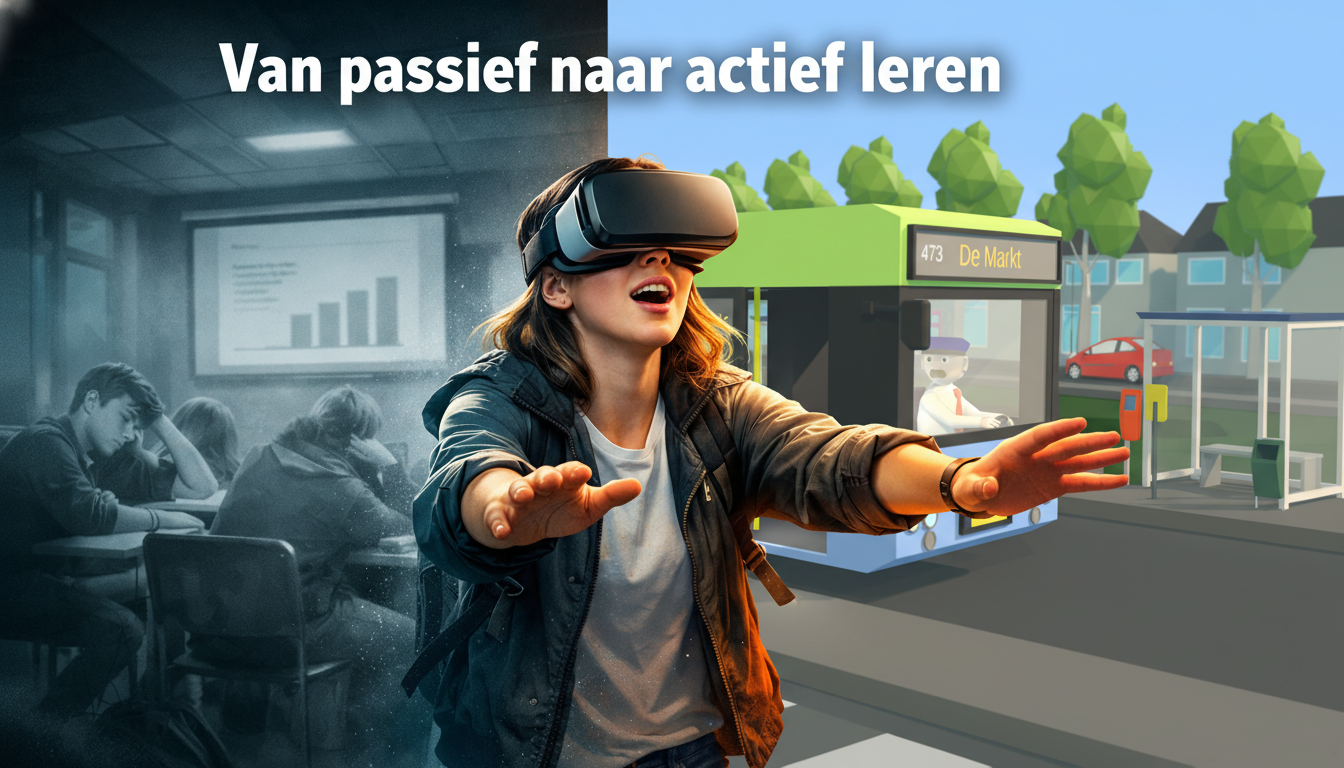
Van Passief naar Actief leren met VR

Wat je kunt verwachten van een VR‑app van Changefied


Door samen met ons te werken aan een op maat gemaakte VR‑app kun je rekenen op:

  • Een realistische 6DoF‑omgeving waarin deelnemers echt kunnen rondlopen en handelen
  • Een duidelijke link met jouw leer‑ of trainingdoelen, niet alleen met technologie
  • Een toegankelijk ontwerp dat rekening houdt met taal, rust, visuele hulpmiddelen en prikkelgevoeligheid
  • Een duurzame, schaalbare oplossing die in je organisatie kan blijven draaien en blijven groeien

Thank you for your message!

We have received your message and will get back to you as soon as possible.

Dank voor de aanmelding

Some situations are worth practising first

Changefied aims to strengthen people’s self-reliance. Our focus is on neurodivergent people, while also supporting others who want to develop greater independence. Teachers and support professionals can adapt the VR learning experience to a learner’s or client’s cognitive abilities, pace and learning goals.

Having a conversation that feels daunting. Learning a task with several things happening at once. Or getting used to an unfamiliar environment.

Changefied develops custom VR training around what your participants need to learn. We start with the real-life situation and explore together whether a virtual practice environment is a suitable approach.
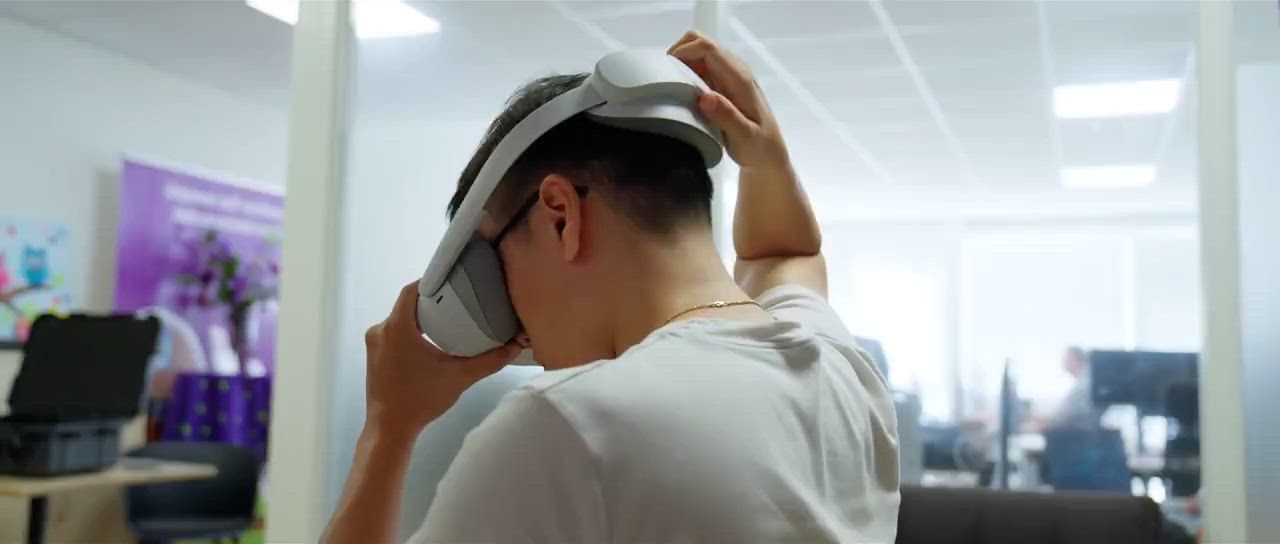
A person putting on a VR headset in a workspace
Practice starts with the participant, not the technology.

Not every learning need requires a new VR app

An existing application may already be a good fit. Sometimes your participants, environment or way of working call for something different. Custom development therefore starts not with what is technically possible, but with what someone needs to practise.

A teacher may want to break a task down into small steps. A support professional may need a way to repeat a challenging situation. Or an organisation may want to practise its own work process that is not covered by a standard module.

An existing solution may fit when

  • The available scenarios support the learning goal.
  • The instructions and controls suit the participants.
  • The application works within your guidance or training approach.

Custom development may fit when

  • A specific situation, choice or action is missing.
  • Language, pace or sensory demands require a different design.
  • Your own environment or work process is important to the exercise.

What would you like someone to practise?

A useful practice environment turns a learning need into something concrete. Not everything at once, but a recognisable situation in which someone can try things for themselves. For example:

A challenging conversation

Asking for help, answering a question or saying that you do not understand. With room to try a conversation again.

A task in manageable steps

Recognising and carrying out a sequence of actions. For example, an everyday task or a procedure within your organisation.

An unfamiliar environment

Getting to know a place and what you may encounter there. Where do you start, what should you look out for and what comes next?

An unexpected situation

Practising choices when things do not go as planned. Pausing, looking for information or asking someone for help.

These are possible directions for development, not a list of existing modules. We determine which exercises are feasible based on your needs and the agreed project scope.

From idea to interaction

What practising in VR can look like

Looking around, picking up an object and carrying out an action yourself. This demonstration gives an impression of interaction in a virtual environment. Together, we decide which situations and actions belong in your training.

A demonstration of a virtual practice environment. Start the video whenever you are ready.

From your real-life situation to usable training

A VR app is only valuable if it suits both the people practising and the professionals supporting them. That is why we discuss not only the scenario, but also how you want to use the training. We agree on the precise scope and deliverables together.

Step 1 · The learning need

Understand what is needed

Who will be practising? What do they need to learn? And what makes that difficult in everyday life? We start with your participants, their goals and the support they need.

Step 2 · The scenario

Choose what to practise

We discuss the situation to focus on, the choices participants make and the explanation they need. This keeps the design focused and the project scope clear.

Step 3 · The design

Try, review and refine

We agree on the design, development and testing stages. We also discuss how participants and support professionals can give feedback on clarity, controls and comfort.

Step 4 · Everyday use

Agree on the next steps

Who will guide the training? Where will the equipment be used? We discuss introduction, evaluation, support and maintenance so that everyone understands what is included in the project.

Not just looking, but taking action

Custom VR training can involve more than looking around an environment. Depending on the design, participants might pick up an object, carry out a task or choose how to respond to a situation.

We use 6DoF technology: the VR headset tracks both your rotation and your position. You can look around and change position within the virtual environment. The movements and interactions available depend on the application, equipment and safe play space.

Technology is the tool. What someone needs to practise determines the design.
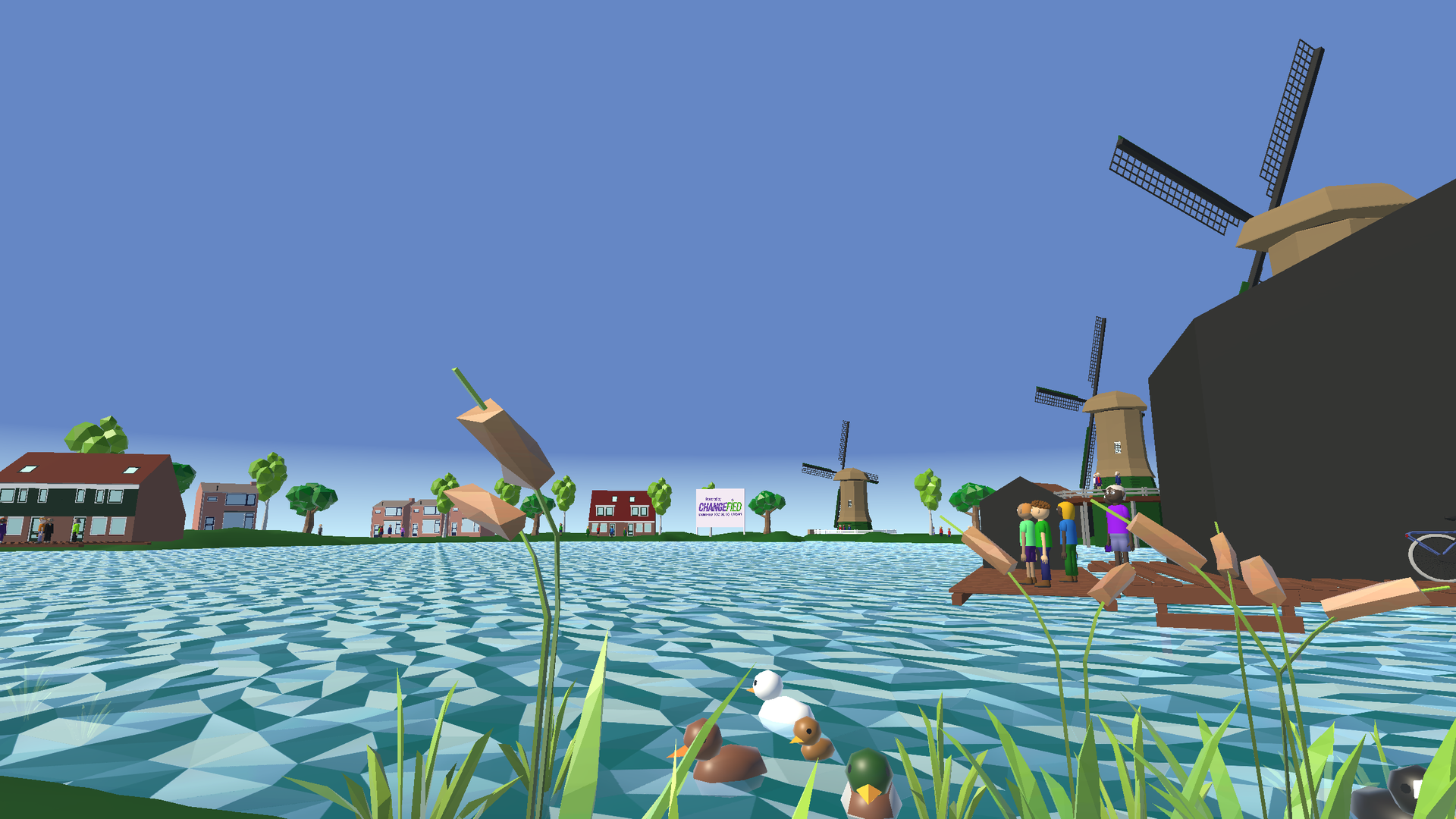
A stylised virtual environment with water, houses and windmills
A virtual environment is designed around the exercise.

Good VR training also fits life outside the headset

A learning environment should be clear and comfortable to use. We therefore discuss language, pace, sensory demands, visual support and guidance. Not everyone feels comfortable wearing a VR headset. Building up gradually, taking breaks and stopping if discomfort occurs are part of responsible use.

Evaluation also starts with a concrete question: what would you like someone to be able to do after practising? Agree on the actions or choices to assess and how to check whether these also work in real-life situations. Completing a VR scenario is not, by itself, evidence of a skill outside VR.

Would you like to record actions automatically or view results in a dashboard? Discuss in advance which data is needed, how to interpret it and which privacy arrangements apply. Measurement features are part of the scope to be agreed, not a standard commitment.

Be clear about what the project includes

The scope of a custom project depends on its scenarios, interactions, visual design and technical requirements. That is why we do not make general promises about a fixed price, delivery time or learning outcome.

At an initial meeting, discuss:

  • The participants and one or a few concrete learning goals.
  • The situations and actions you want people to practise.
  • Available equipment, space and guidance.
  • Requirements for language, accessibility and any data recording.
  • Budget, planning and arrangements for maintenance and updates.

You do not need a complete technical plan yet. A clear real-life situation is a good starting point.

Which situation would you like to make possible to practise?

Tell us who you want to support and what they need to learn. Together, we can explore whether an existing solution fits or custom development would add value.

Frequently asked questions about custom VR

When should we choose custom VR training rather than an existing module?

Custom development may be appropriate when an existing module does not sufficiently fit your learning goals, participants or work processes. Consider the specific actions, situations or instructions people need to practise. First explore whether an existing solution already offers enough flexibility.

How does development of custom VR training begin?

The first discussion focuses on the participants, the real-life situation and what people need to learn. You then agree on the scenarios, approach, design and use within your organisation. Also establish how the application will be tested and evaluated.

What information is needed for an initial cost estimate?

Describe the participants, learning goals, desired scenarios, available equipment and how the training will be used. Include any requirements for language, accessibility and planning. The price depends on the agreed scope and delivery; request a proposal for your situation.

How are users’ needs taken into account?

The participants are the starting point for choices about language, sensory demands, visual support and guidance. Agree on how users and support professionals will help assess clarity, comfort and usability. Not every participant feels comfortable using a VR headset.

What does 6DoF mean in VR training?

6DoF stands for six degrees of freedom: the application can track both the user’s position and rotation. This makes looking around, moving and interacting within a virtual environment possible. The specific movements and safe play space depend on the design and equipment.

How does VR training become part of our everyday practice?

Alongside development, discuss who will guide the training, where the equipment will be used and how learning goals will be evaluated. Agree in advance on instructions, support, maintenance and any updates. This makes it clear what the project includes and what needs to be arranged separately.

Contact

This is required
This is required
This is required
Enter your phone number Enter a valid number like +1555-123-4567
Enter an email Use an address with (@) and (.)
This is required

That didn’t work.

The form wasn’t sent. Please try again.